



Picture a camera over a production line, snapping thousands of images an hour. An AI computer sorts through them, spots defects, and tells other machines what to do. Now imagine the link between camera and computer gets flaky. Frames drop, defects slip past, and someone spends a week blaming the software.
Often the software is fine. The culprit is a cable or a connector.
AI hardware keeps getting smaller and more powerful, so the connections have to do more: carry data, deliver power, survive movement, and put up with rough conditions. Picking the right cable and connector assembly early in the design process saves a lot of grief at installation and long after.
A typical AI system links cameras, sensors, processors, displays, and control units, and each one has its own power and communication needs. An AI cable assemblies that behaves perfectly inside a stationary office device may fail quickly on a machine that moves all day. A connector built for slow communication won't keep up with a high-speed imaging setup.
So look at the whole application before choosing. These are the things worth weighing:
Data transmission: the cable has to support the data rate you need while keeping the signal clean.
Power: conductors should carry the required current without a big voltage drop or excess heat.
Environment: dust, moisture, temperature swings, and chemicals all wear on cables.
Movement and vibration: robotic arms and automated machinery need cables built to flex over and over.
Space: compact devices often call for smaller connectors and careful routing.
Service life: materials and construction should match how long the equipment is expected to run, and under what conditions.
An hour of thought at the design stage can spare you days of troubleshooting later.
A cable assembly is a finished connection built for a specific job. Cables, connectors, terminals, shielding, and other parts are combined into a single unit, rather than you sourcing each piece and putting them together yourself. Many equipment makers work with a supplier to build one that fits their design.
In AI and IoT equipment, the assemblies you will run into most often include:
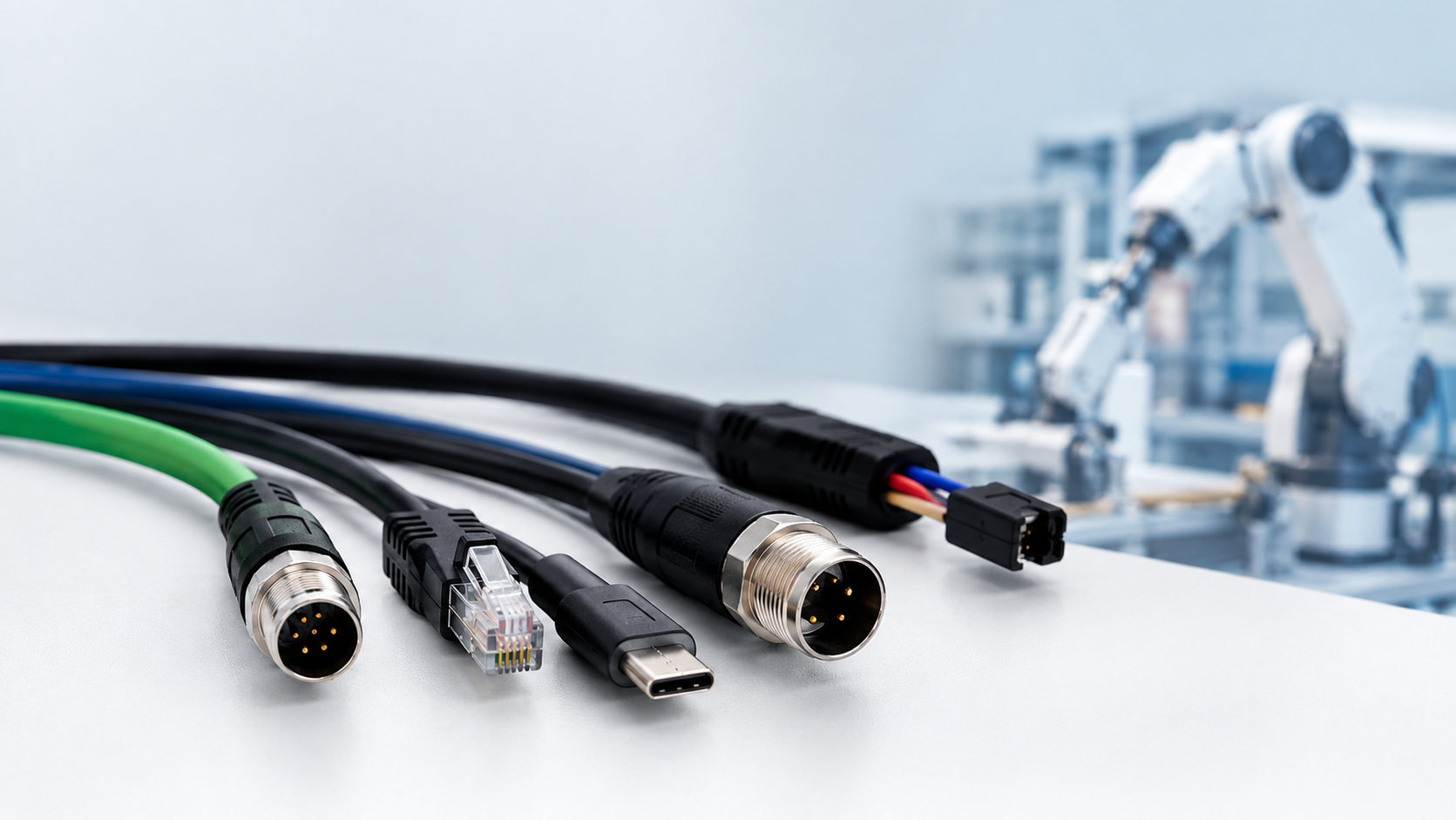
High-speed data cable assemblies between cameras and processing units, using interfaces such as USB or USB-C, Ethernet, or DisplayPort
Video and display cables, such as HDMI or DisplayPort assemblies linking edge computers and monitors
Ethernet cable assemblies with RJ45 or M12 connectors for networked cameras, controllers, and gateways
Power and signal cable assemblies for sensors, computing modules, and control boards
Internal wire harnesses for compact electronics, robotic systems, and automated inspection machines
The exact design depends on the interface, the electrical needs, the mechanical conditions, and any relevant industry standards. No assembly suits every application, so confirm compatibility before you order.
The best cable isn't the priciest one, or the one with the biggest data-rate number on the label. It's the one that meets your equipment's real requirements and keeps working under normal conditions. Here's a practical way to narrow it down.
1. Start with data and signal needs. Identify the interface and what it demands. A machine vision system, for instance, may need a dependable high-speed link between industrial cameras and a computer, whether that is USB 3.x, Gigabit Ethernet, or another interface. Cable length, shielding, connector quality, and routing all affect signal integrity, and noise from motors and drives can cause trouble if the cable isn't properly protected. Have your engineers confirm the data rate, length, and signal characteristics before settling on a design.
2. Match the connector to the equipment. A connector has to do more than physically plug in. It affects installation time, maintenance, and long-term reliability. Check the mating interface, pin configuration, electrical ratings, available space, locking mechanism, expected number of mating cycles, and any environmental protection you need. A standard RJ45 or USB-C connector may be fine inside a control cabinet, but on a machine that vibrates, a threaded M12 connector or a USB or HDMI connector with a screw-lock or latching design is often the safer choice. A connector that squeezes into the space but is awkward to secure can turn into a maintenance headache.
3. Think about movement and routing. A cable in a fixed control cabinet lives an easy life. One on a moving robotic arm does not. Repeated bending can wreck an unsuitable cable over time, and tight bends, sharp edges, and badly placed cable guides add stress. Before you finalize anything, ask where the cable will sit, how often it will move, how much strain relief it needs at each connector, and whether a technician can swap it out without a fight.
4. Review power and temperature. Some devices need separate power lines, while others combine power and data in one assembly. Which is right depends on the design. Confirm voltage, current, conductor size, insulation, and temperature range. If the device sits in a hot enclosure or runs around the clock, make sure the cable materials can take it. Electrical ratings and real requirements should drive the decision, not appearance.
AI equipment and IoT devices have a IoT Device Interconnect Solutions Factory in common, but their priorities shift depending on the use case.
Treat this as a general guide. Your final specification should reflect your device's interface, operating environment, and manufacturer requirements.
Machine vision cameras and AI inspection systems. Image data is unforgiving. A marginal cable can show up as dropped frames, intermittent disconnects, or corrupted images, often only when the line runs at full speed. Cable length limits for the chosen interface matter, as does shielding quality, since cameras are often routed near motors, drives, and power lines. Locking connectors help prevent a vibrating camera head from working its own cable loose, and a camera mounted on a moving gantry also needs a cable rated for continuous flexing.
Robotic equipment. Cables on robotic arms and moving axes face constant bending and twisting. Look for constructions designed for flex life, observe the minimum bend radius, and use strain relief at both ends. Poor routing, such as a cable pinched at a joint or rubbing against a sharp edge, can shorten service life more than the cable construction itself.
Industrial automation. Controllers, drives, sensors, and I/O modules share a plant floor with a great deal of electrical noise. Proper shielding and grounding keep EMI from corrupting communication, and ruggedized connectors such as M12 are common where dust, moisture, or vibration are present. Temperature range and chemical exposure should be checked against the cable jacket and insulation materials.
IoT sensors. These devices usually have modest data needs but tight limits on size and power. Small connectors, correct conductor sizing for low-voltage supply, and reliable retention matter more than raw speed. Since sensors are often installed in hard-to-reach places, an assembly that is easy to install and replace pays off over time.
Standard cables are fine when their dimensions and specs line up with your equipment. But some products have odd layouts, tight internal space, or unusual connector requirements. In those cases, an assembly designed for the application can simplify installation and cut out extra adapters and connection points.
A custom assembly can give you cable lengths that fit your layout, connectors chosen for your interface, wire configurations matched to your electrical design, shielding and insulation suited to the environment, labeling that helps technicians identify connections, and options that support both production and maintenance.
One caution: customization should solve a real problem. A more complicated assembly isn't automatically a better one. Keep the design as simple as the application allows.
Here's a hypothetical scenario, not a documented customer case. A factory uses an AI camera to inspect products on a conveyor. The camera sends images to a processing unit, which finds defects and signals a controller to pull faulty items off the line. Every so often, when the conveyor runs at full speed, the system loses images.
The maintenance team checks the camera software first, then the processing unit. Both look fine. A closer look at the installation shows the cable running near a motor drive and flexing repeatedly close to a mounting point. The team reviews the cable and connector specifications, considers whether the routing and shielding suit the application, and tests a connection design that fits the equipment better.
The lesson is that troubleshooting should cover the physical connection, not just the software and electronics. If you hit a similar problem, you can:
Note when the connection fails and what equipment is running at the time.
Inspect connectors for loose fittings or visible damage.
Check the cable routing and look for possible sources of electrical interference.
Confirm the assembly meets the required electrical and mechanical specs.
Test the revised setup under normal operating conditions before rolling it out more widely.
Working through it step by step beats swapping parts at random and hoping.
Your supplier affects the quality, consistency, and manufacturability of the finished assembly. A good partner understands your product's requirements and is upfront about design limitations. When you evaluate a manufacturer, ask about:
Their experience with the connector types and cable constructions you need
Whether they can review your drawings, pinouts, and technical specs
How they select materials and components
Their quality inspection and production consistency
Sample development and testing options
Lead times, production capacity, and ability to meet future supply needs
It's also worth asking how they handle design changes. Requirements often shift when a product moves from prototype to mass production, and clear communication at that stage saves a lot of time.
IoT products tend to pack sensors, communication modules, processors, and power sources into very little space, and interconnect needs can vary a lot, even within one product family. A good supplier should be able to assess your application and help you find suitable connection options. They should also be clear about what they can produce, test, and customize.
Before you reach out, gather:
Product drawings or connector reference numbers
Required cable length and connector orientation
Electrical and communication specifications
Expected operating temperature and environmental conditions
Estimated order quantities and production schedule
Any testing, compliance, or quality requirements
Giving these details up front makes it easier to judge feasibility and cuts down on avoidable back-and-forth.
Also Read: SINNHONG Sets New Standard for AI Infrastructure with 1.6T Internal Cables and CXL 4.0 Solutions from Vietnam Hub
SINNHONG ELECTRONICS builds custom cable assemblies and wire harnesses for industrial, automation, machine vision, and electronic equipment applications. We manufacture in China and Vietnam and support projects from prototype through mass production, so the design you validate on the bench is the one that ships in volume.
Here is how we work:
Engineering review first. We review your engineering drawings and pinouts before production starts, so questions about connector selection, wire configuration, or routing are raised early rather than discovered on the line.
Connector integration and overmolding. We integrate the connector types your design calls for and offer overmolding where it improves strain relief, sealing, or durability.
Quality built into the process. Our operations follow ISO 9001 quality management, and we build to IPC/WHMA-A-620 workmanship standards.
Testing on every assembly. Every assembly goes through 100% electrical testing. We also run pull-force testing and crimp cross-section inspection to verify the mechanical integrity of terminations, which matters most in applications with vibration or repeated movement.
Prototype to mass production. We support sample development and production ramp-up, and we can work with you on design changes as a product moves from prototype to volume.
Whether your project is a machine vision camera link, a robotic wire harness, an industrial controller connection, or a compact IoT sensor assembly, our goal is the same: a cable assembly that matches your application and performs consistently.
AI systems rely on more than processors and software. Cameras, sensors, controllers, and connected devices all need solid physical connections to exchange data and receive power.
The right cable assembly starts with understanding your application. Check the interface, electrical ratings, movement, environment, and available space before settling on a design. If a standard cable doesn't cover your needs, a custom assembly built for your application may be the better route.
SINNHONG ELECTRONICS specializes in custom cable assemblies and wire harnesses for industrial electronics, automation, machine vision, IoT devices, and other electronic equipment. With manufacturing facilities in China and Vietnam, we support customers from prototype development through mass production.
To discuss your project, send us:
Drawings
Connector part numbers
Pinouts
Cable length
Electrical requirements
Application details
Estimated order quantity
Our engineering team will review your requirements and let you know how we can help.
 sales@sinnhong.com
 Whatsapp: 8613543700314
 Send us message